Keyword Research Guide: Find Keywords for Indian Audience
Keyword Research Tool for Indian Market
The Keyword Research Tool is an essential feature of ContentSERP.in that helps you discover keywords specifically tailored for the Indian market. It provides insights into search volume, competition, and keyword difficulty, enabling you to optimize your content strategy effectively.
How to Use the Keyword Research Tool
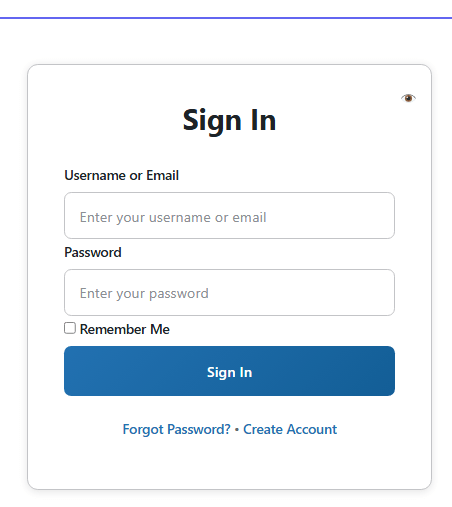
- Log in to ContentSERP.in:
Access your account by entering your credentials on the ContentSERP.in homepage.
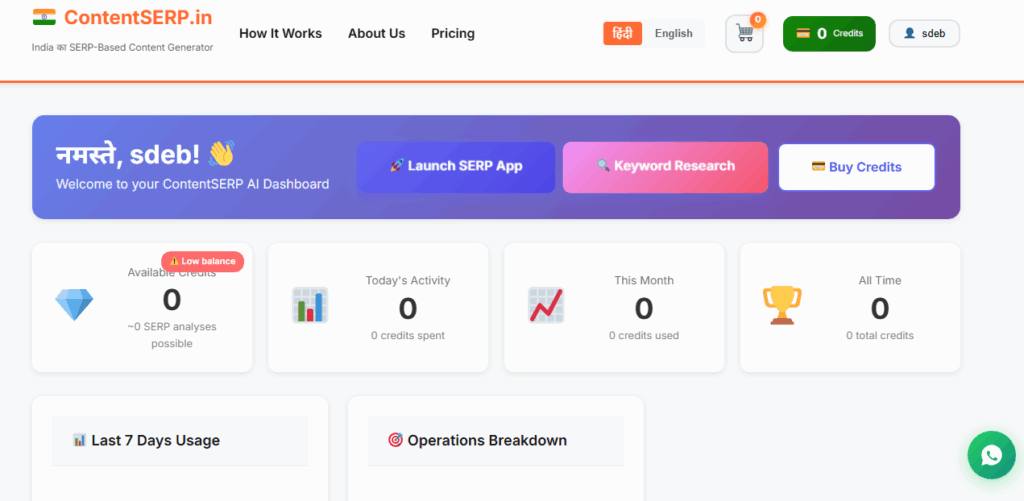
2. Navigate to the Keyword Research Tool:
Once logged in, find the Keyword Research Tool in the main dashboard menu. Click on it to proceed.
3. Enter Your Seed Keyword:
Type a seed keyword related to your business. For example, if you own a local restaurant in Mumbai, you might enter “best biryani in Mumbai”.
4. Select Language and Region:
Choose the preferred language (English or Hindi) and specify the region you want to target within India.
5. Initiate the Research:
Click the “Search” button to start the analysis. This will consume 5 credits from your account.
Cost: 5 credits per keyword research batch (50 keywords).
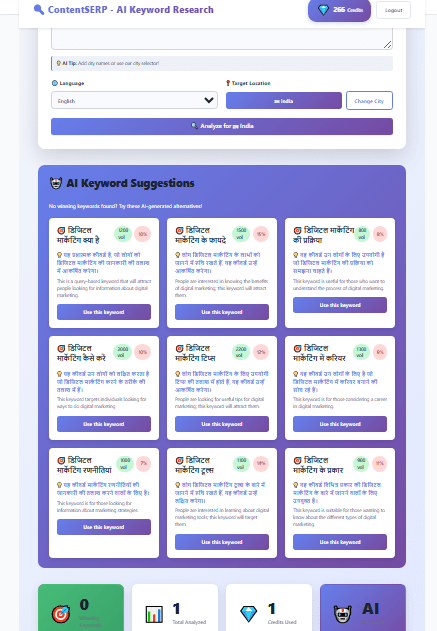
6. Review the Results:
Once the analysis is complete, you will see a list of related keywords, along with their search volumes, keyword difficulty, and competition levels.
3. Export Your Data:
If you wish to keep a record, use the export functionality to download the data in CSV or PDF format.
Tips & Best Practices for Indian Users
Focus on Regional Languages:
Consider targeting keywords in regional languages like Hindi, Tamil, or Bengali to reach a broader audience.
Utilize Long-Tail Keywords:
Long-tail keywords like “best vegetarian restaurants in Bangalore” can attract more specific search traffic.
Analyze Local Competition:
Pay attention to local competitors’ keywords, especially if your business operates in a specific city or state.
Regularly Update Your Keywords:
Search trends change frequently, so conduct keyword research regularly to stay relevant.
Common Issues & Solutions
Issue: No results returned for a keyword search.
Solution: Try using a more general seed keyword or check for spelling errors. Ensure you are targeting the correct language and region.
Issue: Difficulty understanding keyword difficulty metrics.
Solution: Keyword difficulty indicates how hard it may be to rank for a keyword. A lower number means it’s easier to rank; aim for keywords with lower difficulty scores for better chances of success.
Issue: Unable to export data.
Solution: Ensure that you have credits available in your account. If issues persist, contact customer support.
Related Features from ContentSERP
The Keyword Research Tool works seamlessly with several other features on ContentSERP.in, enhancing your overall content strategy:
SERP Analysis Tool: Use this tool to understand the top-ranking competitors for your keywords and identify content gaps.
AI Content Generation: Leverage the insights from your keyword research to create SEO-optimized articles tailored to your audience.
Image Prompt Generator: Generate relevant images for your content based on the keywords you’ve researched.
Quick Templates: Utilize industry-specific templates to create content quickly based on the keywords you discover.
By using the Keyword Research Tool effectively, you can enhance your SEO strategies and create content that resonates with your target audience in India.